
Download SuperEasy Photo Booster – Photo Editing, Enhancement, Instant Improvements
Overview
SuperEasy Photo Booster is a mobile application designed to simplify the process of enhancing digital photographs. Its primary purpose is to allow users to upload images and receive immediate visual improvements through automated adjustments. The app targets individuals who want to elevate their photo quality without the complexity of traditional editing software. This includes casual users, social media enthusiasts, and anyone seeking quick, effective results without extensive learning curves.
The application addresses common challenges such as poor lighting, low contrast, and dull colors—issues frequently encountered in smartphone photography. By offering instant enhancements, SuperEasy Photo Booster enables users to transform ordinary snapshots into vibrant, visually appealing images in seconds. It is particularly useful in real-world scenarios like preparing photos for social media posts, sharing with friends and family, or quickly improving images before sending them via messaging apps.
Although the developer’s background is not publicly detailed, the app has been available since its release on September 3, 2012, indicating a long-standing presence in the mobile photo editing space. Over the years, it has maintained relevance by focusing on simplicity and speed. Its role in the broader app ecosystem lies in offering a lightweight, accessible alternative to more complex photo editing tools, filling a niche for users who prioritize efficiency over advanced customization.
Key Features & Functionality
- Automatic Enhancements: The app analyzes uploaded images and applies optimal adjustments to brightness, contrast, and color balance without requiring user input. This feature is ideal for users who lack technical knowledge or time for manual editing.
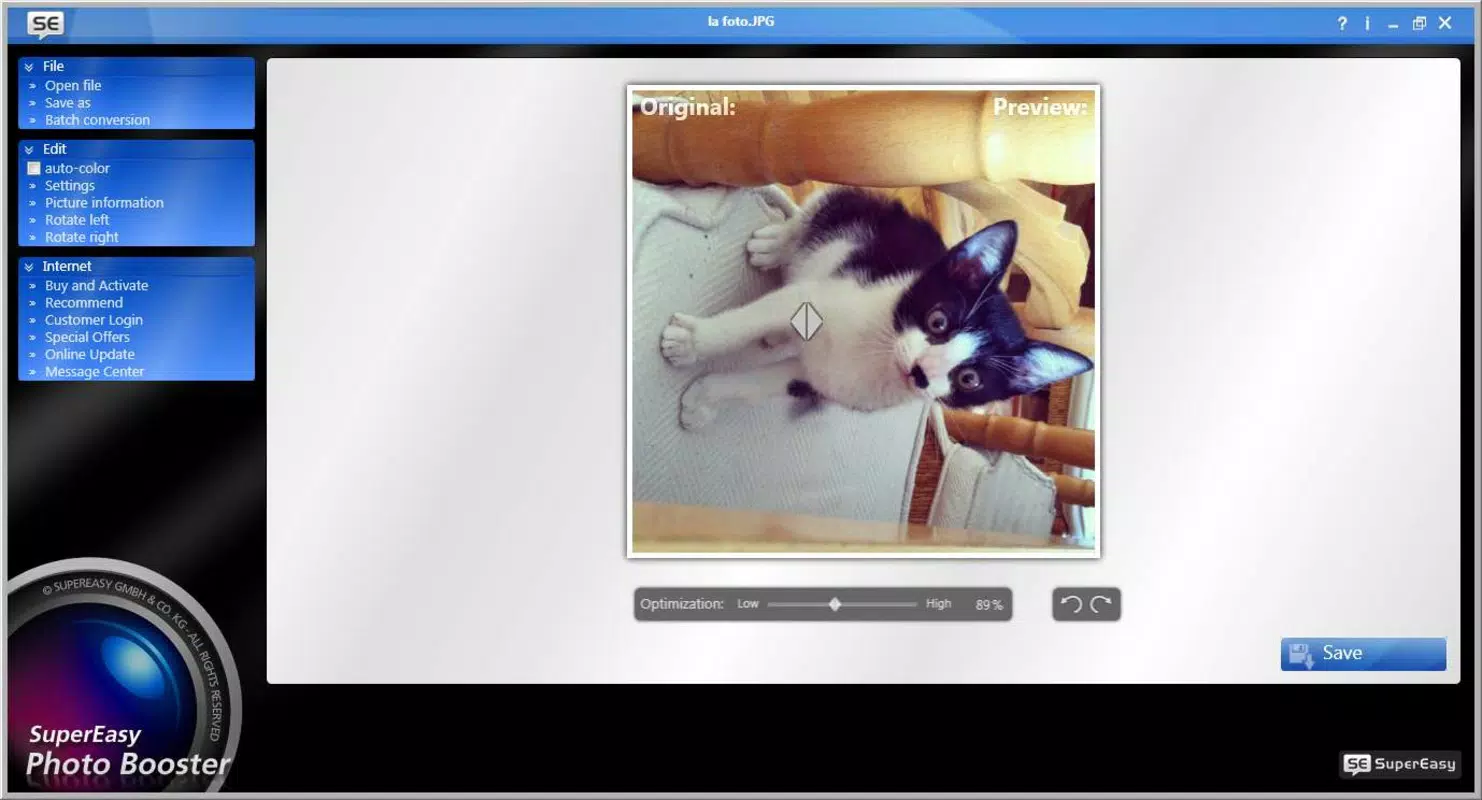
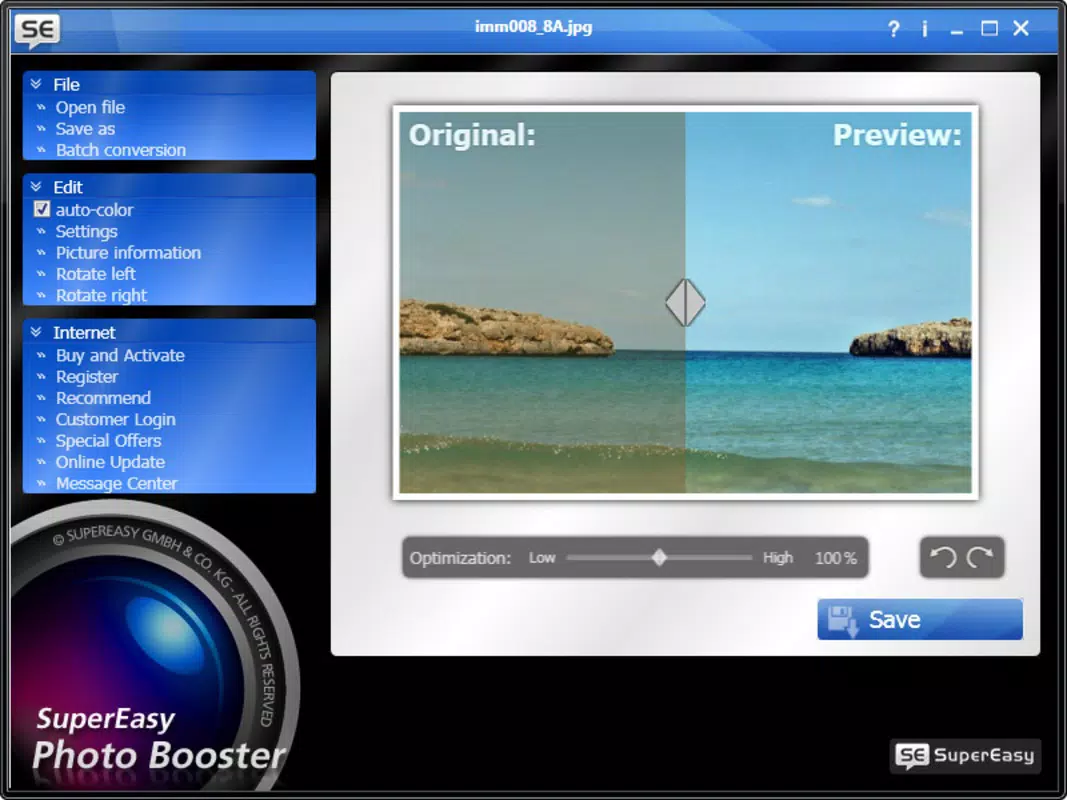
- Real-Time Preview: As users adjust enhancement settings, they can instantly view changes on-screen, enabling precise control over the final output and reducing trial-and-error.
- Customizable Intensity: While the default mode applies automatic improvements, users can fine-tune the strength of these adjustments to avoid over-processing and maintain a natural appearance.
- User-Friendly Interface: The design emphasizes simplicity, with minimal navigation and clear visual cues, allowing even first-time users to operate the app confidently.
- Quick Results: Most edits are completed within seconds, making the app suitable for on-the-go use and time-sensitive sharing scenarios.
For example, a user taking a dimly lit photo at a dinner event can upload it and apply enhancements in under 10 seconds, resulting in a brighter, more balanced image. Similarly, someone preparing a vacation photo for a family group chat can use the app to instantly improve clarity and color vibrancy without needing to learn complex tools.
Interface, UX & Performance
SuperEasy Photo Booster features a clean, minimalistic interface that prioritizes usability over visual complexity. The layout is centered around a single upload button, with intuitive controls positioned for easy access. Navigation is linear and straightforward—users upload a photo, view real-time adjustments, and export the result with minimal taps.
The visual style is consistent with modern mobile design principles, using soft color palettes and clear iconography to guide users through the editing flow. The app maintains responsiveness across various screen sizes, though specific performance metrics were not disclosed by the developer.
Although the developer did not list formal performance metrics, the app’s ability to deliver results in seconds suggests efficient processing. Stability appears reliable based on its long-standing availability, though no information was provided about crash rates or background behavior. Users can expect smooth operation on devices that meet standard mobile performance benchmarks.
Platform Compatibility & Technical Requirements
SuperEasy Photo Booster is available on the Android platform. The app’s file size is not specified, and no minimum OS version or device requirements were listed by the developer. As such, compatibility with specific Android versions or hardware configurations remains unclear.
The developer did not provide additional technical details regarding system requirements, memory usage, or background processing. This lack of information means users should ensure their devices meet general Android standards for running image-editing applications. For optimal experience, it is recommended to use devices with sufficient storage and processing power to handle image rendering tasks.
Pros and Cons
Pros
- Simple, intuitive interface ideal for beginners
- Instant photo enhancements with minimal user input
- Real-time preview allows for immediate visual feedback
- Customizable intensity settings for balanced results
- Fast processing time suitable for on-the-go editing
Cons
- No information on minimum OS or device requirements
- Limited customization options beyond intensity control
- Developer did not disclose file size or update frequency
- No details on cloud sync, export formats, or sharing integrations
- Compatibility with newer Android versions not confirmed
FAQ
Is SuperEasy Photo Booster safe to download?
The app is available through official Android channels, but users should verify the source before installation to ensure it is free from third-party modifications.
Can I use SuperEasy Photo Booster without an internet connection?
Based on the app’s functionality, it likely operates offline, as image processing is performed locally. However, the developer did not confirm this explicitly.
Does SuperEasy Photo Booster support batch editing?
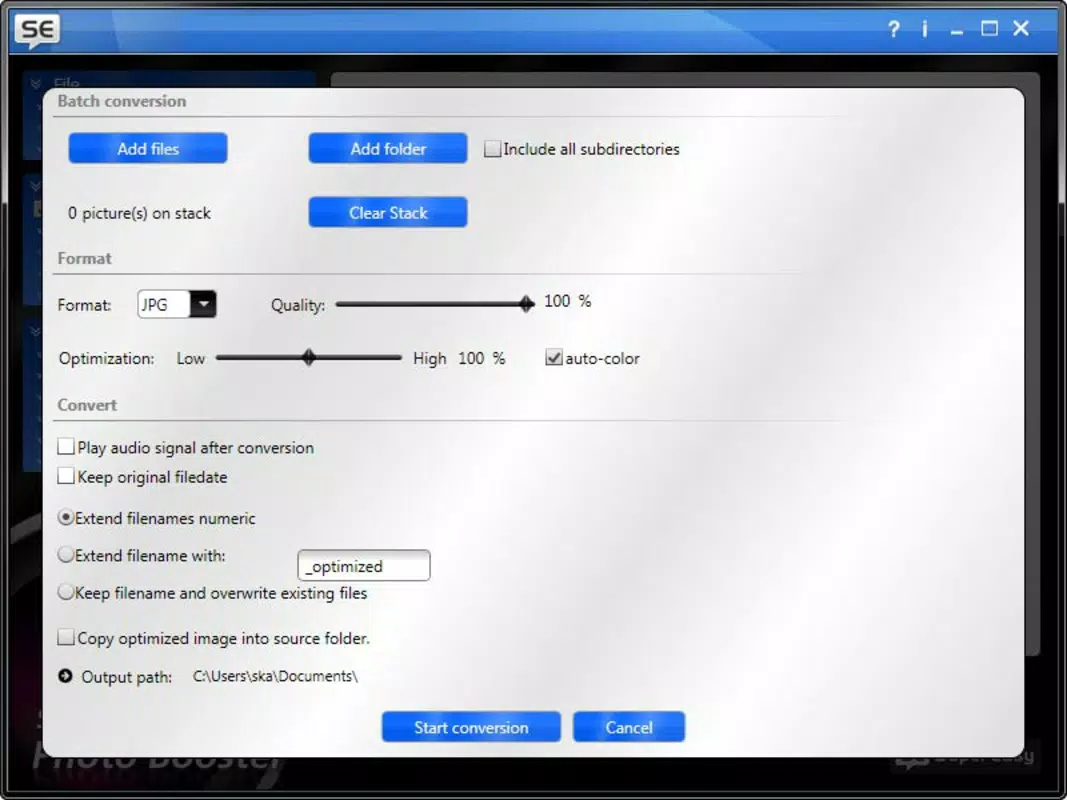
There is no information available about batch processing capabilities. The app appears to focus on individual image enhancement.
How often is SuperEasy Photo Booster updated?
The developer has not disclosed update frequency or release schedule. Users should check their device’s app store for the latest version.
Is SuperEasy Photo Booster available for iOS devices?
Currently, the app is only confirmed for Android. No information was provided about iOS availability or future platform expansion.
Final Thoughts
SuperEasy Photo Booster delivers a streamlined photo enhancement experience tailored for users who value speed and simplicity. Its automatic adjustments, real-time preview, and customizable intensity make it a practical tool for improving everyday photos without requiring technical expertise. While it lacks advanced features and detailed technical disclosures, its core functionality remains effective and reliable.
It is best suited for casual users, social media posters, and anyone needing quick fixes for underexposed or dull images. The app’s long-standing presence in the market speaks to its enduring utility, even in an increasingly competitive landscape.
For those seeking a no-frills, fast, and secure way to boost photo quality on Android, SuperEasy Photo Booster remains a solid choice. Download SuperEasy Photo Booster now.


